I am writing this from Madrid, on the first day of my sabbatical.
Naturally, instead of sleeping like a normal person, I built another website over night.
The site is afk.nami.space, my tiny little travel writing site that I felt like my nami.space isn’t exactly the best fit. I’m calling it AFK ; open tabs abroad because I am away from work, moving through countries, carrying (3 too many!) bags, and still incapable of being fully away from a keyboard. (Irony!)
I wanted my AFK site to feel dedicated and specific: photographs, notes, weird observations, things I eat, things I notice, things I might vent about traveling just in general.
The site itself was put together basically overnight, thanks to vibecoding…
Tech stack
The actual stack ended up looking like this:
- WordPress Studio — local WordPress development
- ChatGPT/Codex
- WordPress.com — hosting and the actual CMS
- Notion — where I write and manage stories
- n8n — publishing automation and all the annoying glue
- Publitio — permanent storage and delivery for article photographs
- Cloudflare — DNS for the subdomain
It is a WordPress blog.
But I barely interact with WordPress to write it, is the thing.
I did not want another WordPress dashboard to manage
I will say this again. And many times more…
I like WordPress as infrastructure but I am not fan of using the WordPress admin as my actual writing environment.
This has been my bottleneck.
I work with WordPress all day
I know myself well enough to know that if publishing posts requires me to log into wp-admin, click Add New, upload photos, arrange blocks, set a featured image, choose categories and then preview everything every time I want to post something in middle of everything and nowhere, I will not function. (And even now, I am barely functional.)
So the question is, how can I use WordPress but without touching WordPress?
The website layer: WordPress Studio + ChatGPT/Codex
I started with a WordPress Studio site locally.
I wrote out a build brief for Codex describing exactly what I wanted afk.nami.space site to be: a small, simple travel blog, its own custom block theme, no page builder, no dependency pile, no build process that I would have to remember three months from now.
Once the local version was ready, WordPress Studio lets me sync the site to WordPress.com. (I LOVE this feature!)
Then I made it more complicated because of course I did
If all I needed was a nice travel site, I could have stopped there.
But the whole point of AFK is that I will be traveling.
I wanted to write from my phone or laptop in the same place I already keep my travel planning and daily notes: Notion.
I already built a Notion → n8n → WordPress pipeline for nami.space earlier this year. This version taught me a lot about what I actually care about in a publishing workflow.
The slightly updated publishing system now looks roughly like this:
Notion
  ↓
n8n
  ↓
Publit.io (image hosting) + WordPress REST API
  ↓
afk.nami.space
n8n is the weird little publishing employee
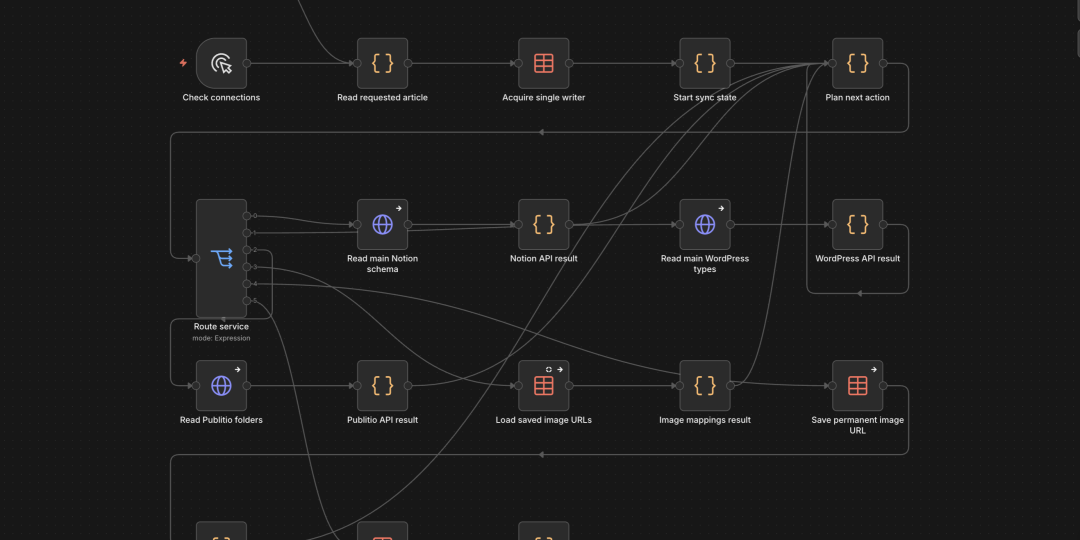
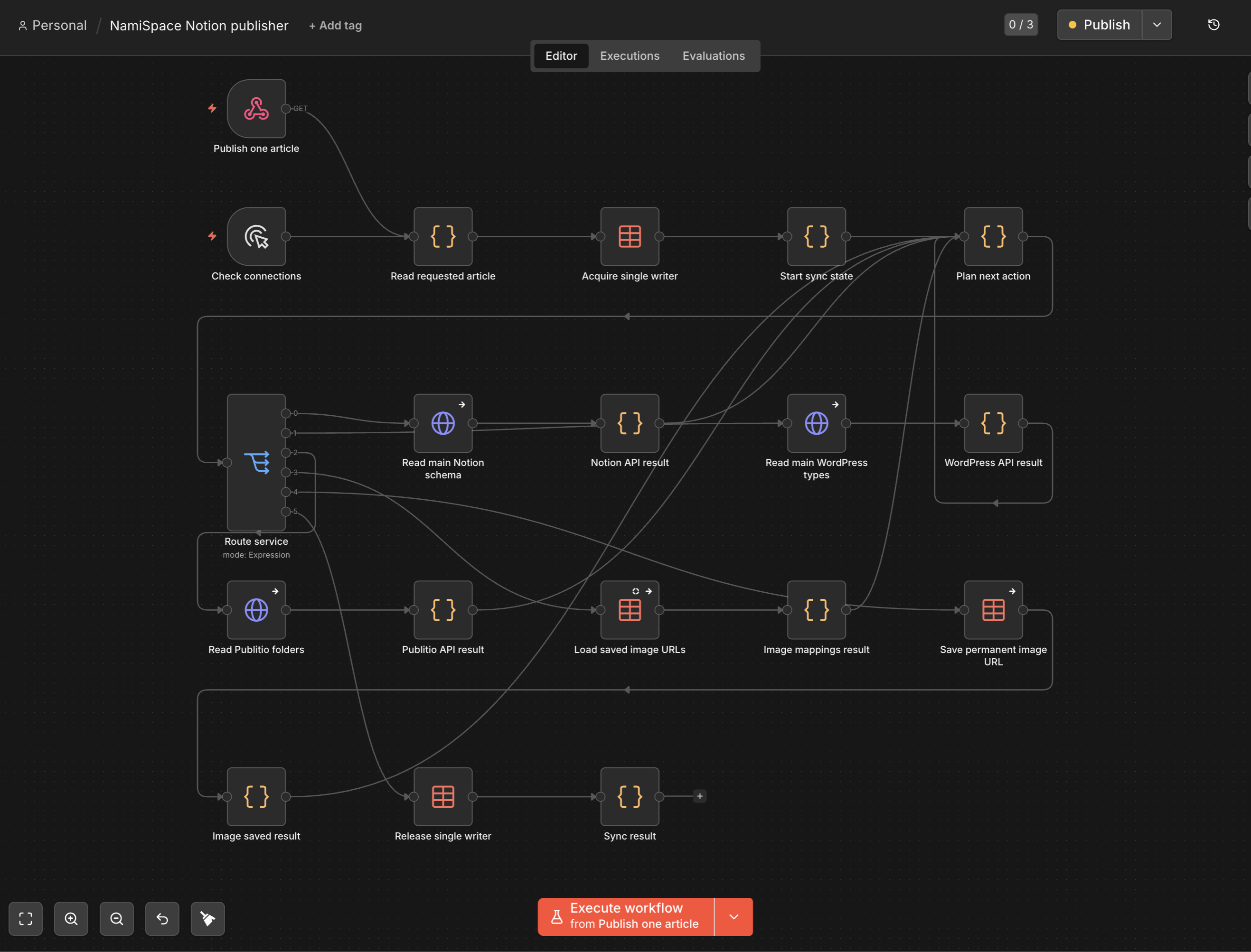
My n8n workflow checks the writing database every five minutes.
If it finds something marked Ready to sync, it takes the Notion page apart, converts its blocks into HTML that WordPress understands, processes the photographs, decides whether this is a new story or an update, sends it to WordPress, and then writes the result back to Notion.
A new story becomes a WordPress draft.
That was an intentional change from my older nami.space flow.
So post has a review stage.
I sync it first. I look at the actual WordPress draft. If everything is good, I choose Ready to publish.
Later, if I fix a typo or change a paragraph, Ready to sync updates the same WordPress post rather than creating another one.
The WordPress post ID gets written back to Notion, so the two records stay tied together.
This is the sort of boring infrastructure detail I love because it makes the human experience stupidly simple.
Photos turned into their own problem
Travel writing is obviously going to have more photographs than nami.space.
And Notion image URLs are temporary.
That meant I could not just tell WordPress, “good luck, here is whatever image URL Notion gave me.”
So I added Publit.io for image hosting layer.
When n8n sees a photo in the post, it downloads the original from Notion and uploads it into a permanent AFK folder in Publit.io.
Then I keep a media map that remembers which Notion image corresponds to which permanent Publit.io URL.
This means:
- syncing the same story again does not upload the same photos again
- changing a caption does not create a duplicate image
- removing the image from the story does not randomly delete the permanent file
- the article can use the Publitio image directly instead of depending on a temporary Notion link
The selected featured image works a little differently: the theme imports that one into the WordPress media library so WordPress.com can use it properly for archive cards and sharing metadata.
Article images stay on Publit.io.
This is probably over-engineered for a tiny little personal travel blog.
But it solves a real problem once, and then I never have to think about it while I am actually traveling.
I mean Codex did all the work using n8n MCP control.
The tiny features became the fun part
Once the basic pipeline worked, I started adding little things that only make sense because I know exactly how I want to write.
For example, I can put:
`[cover: top]`
inside the Notion story and the selected featured photo appears under the title.
I can wrap a group of images with gallery markers and the site turns them into a gallery.
I can write inline notes like:
`AutomatticA distributed company—we work from different places around the world.`
and the website turns that into a numbered footnote-style popover.
Captions can also include separate alt text.
Unsupported Notion blocks do not silently disappear. The sync stops and tells me there is a problem.
The best technology disappears
The funniest outcome is that after all this technical nonsense, my actual publishing workflow is:
- Open Notion.
- Write.
- Add photos.
- Choose Ready to sync.
- Review the draft.
- Choose Ready to publish.
I may go months without needing to open the WordPress editor.
(Which is the point!)
I built the system overnight so that, while I am moving through Spain, Morocco, Turkey, Sri Lanka, Vietnam and Taiwan, I can spend less time maintaining a website and more time actually having something worth writing about.
At least that is the theory.